Chapter 4: Storyboard Rules
10-15% Rule Application: Storyboards increase useful outputs by 50%+
Content:
- What is a storyboard and why it matters
- Composition principles for individual frames
- Shot progression and flow
- Description writing for each panel
- Contents required per storyboard frame
- The 10-15% Rule in storyboarding: How planning increases keepers
Practical Elements:
- Storyboard template (downloadable)
- Annotated storyboard examples
- Exercise: Create a 6-panel storyboard for "The Midnight Café"
- Common storyboarding mistakes with AI
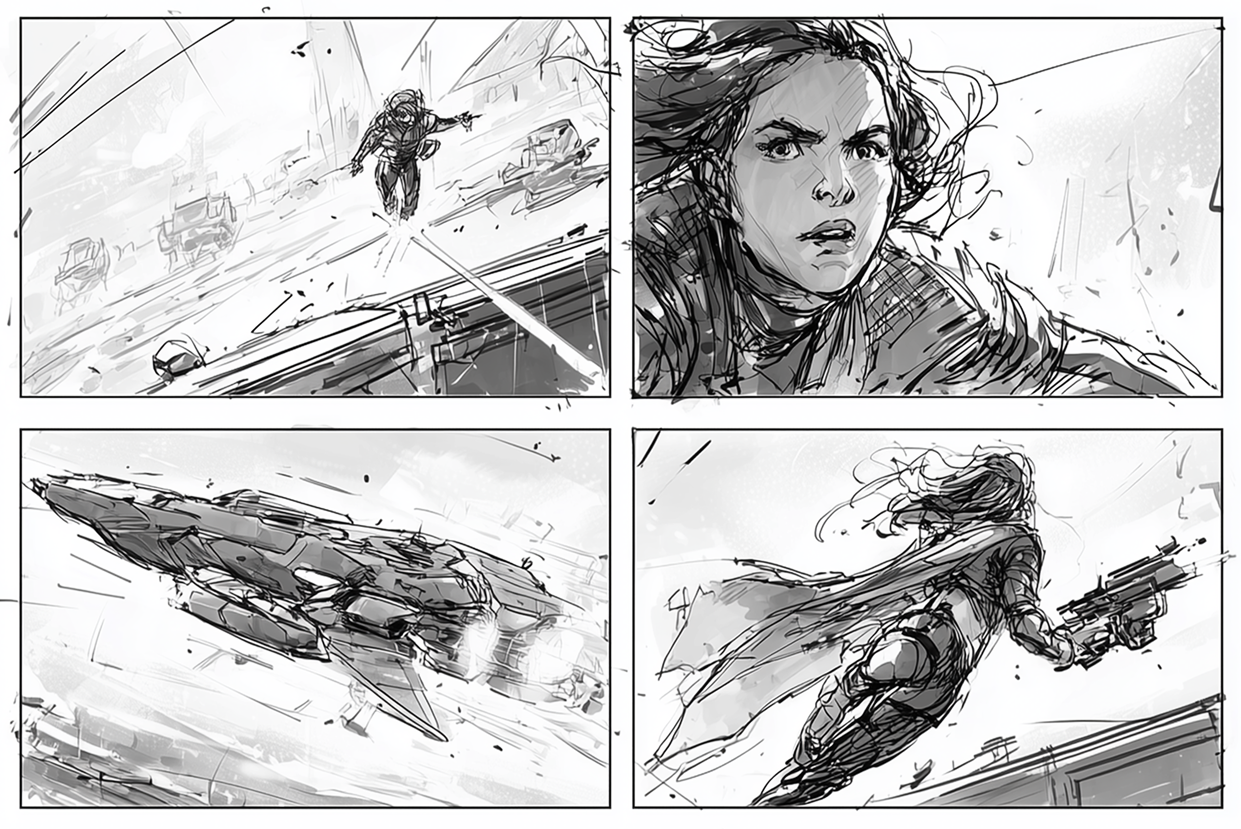
Real Example
Complete storyboard for all three companion projects
- ⚡ Quick Win: Single-panel storyboard method for static images
Professional Storyboard Annotation System
Based on Cyberpunk Mercenary Project
Complete Annotation Template Includes
1. Panel Numbering System:
- Clear sequential numbering (Panel 1, Panel 2, etc.)
- Sub-panel notation if needed (1a, 1b)
- Reading order indicators
- Page/sequence organization
2. Start Indicators:
- "START" markers for beginning of sequences
- Scene transition markers
- Chapter/section breaks
- Story beat indicators
3. Shot Descriptions with Camera Angles:
- Specific camera angle notation
- Example: "Eye level, Medium Shot (MS)"
- Example: "Low angle, Close-Up (CU)"
- Example: "Overhead, Full Shot (FS)"
- Framing specifications
- Character positioning in frame
4. Motion Lines and Dynamics:
- Movement direction indicators
- Motion blur notation
- Speed lines documentation
- Debris and particle effects notation
- Action trajectory markers
- Impact points
5. NBP (Nano Banana Pro) Rendering Instructions:
- Style specifications per panel
- Quality requirements
- Consistency notes
- Reference sheet callouts
- Special attention areas
- Rendering priority notes
Example Annotation (Cyberpunk Mercenary Style)
PANEL 1 - START
Camera: Eye Level, Medium Shot (MS)
Subject: Cyberpunk mercenary, combat stance
Action: Fast movement forward, debris flying
Motion: Speed lines from left, explosive energy
Environment: Neon-lit alley, high contrast
NBP Instructions: Hyper realistic, cinematic lighting,
maintain character consistency with reference sheet
Style: Movie style, Blade Runner aesthetic
Annotation Best Practices
- Be specific but concise
- Include all information needed for rendering
- Reference your style guide
- Note any special requirements
- Mark consistency requirements
- Include lighting and mood notes
- Specify any effects or post-processing needs
Template Components
- Panel border and number field
- Camera angle dropdown/field
- Shot type field
- Motion notation area
- Character/subject field
- Environment notes field
- Rendering instructions field
- Style specification field
- Special notes area
Figma Frames for Storyboard Organization:
- Storyboard Structure in Figma:
- Setting up storyboard frame templates with consistent dimensions
- Creating numbered panel systems for shot sequences
- Using auto-layout for flexible storyboard arrangements
- Panel annotation systems (shot type, duration, camera movement)
- Adding description text fields beneath each panel
- Organizing Storyboards for AI Workflow:
- Project hierarchy: Master storyboard → Individual shots → Rendered outputs
- Version control within Figma for storyboard iterations
- Creating export-ready panels with all necessary information
- Shot checklist integration within frames
- Linking storyboard panels to reference materials
- Figma as Storyboard Refinement Tool:
- Comparing AI outputs directly with storyboard panels
- Side-by-side layout: Planned vs. Generated
- Annotation tools for identifying needed corrections
- Creating correction notes for re-prompting
- Tracking which shots meet storyboard requirements
- Exporting Storyboards from Figma:
- Export settings for individual panels
- Creating presentation-ready storyboard documents
- Batch export for AI reference input
- Generating shot sheets with embedded storyboard panels
- PDF export for client presentations
Integration:
- Course Connection: Links to Video Module 2.1 - "Storyboard Fundamentals"
- For Independent Learners: Storyboard evaluation rubric
- Cross-Reference: Builds on Chapter 3, prepares for Chapter 12; Uses Figma skills from Chapter 2
- Figma Resources: Storyboard template file with pre-built frames and annotation systems
---